IAM Basic concepts

AWS IAM: Identities, Roles & Policies explained in simple terms
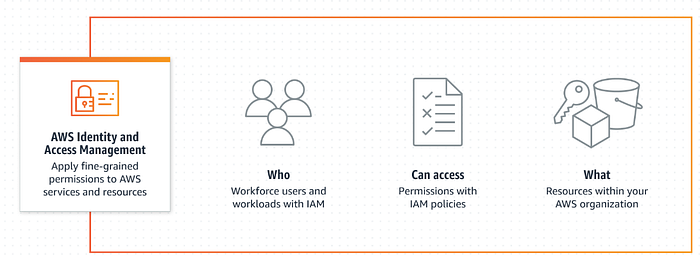
diagram

Basic concepts

Identities

An identity refers to an entity that can make requests and interact with AWS resources. It can be a person, application, or service that needs to authenticate itself to access AWS resources.

  • Users: End users, such as people, employees of an organization etc. These are identities with long-term credentials who can interact with AWS through accounts.

  • Groups: A collection of users. Each user in the group will inherit the permissions of the group.

  • Roles: An IAM role is an identity you can create that has specific permissions with credentials that are valid for short durations. Roles can be assumed by entities that you trust.

Authorizations

Authorizations are granted through policies. Authorizations dictate what actions can be performed on which AWS resources.

  • Policies: A policy is an object in AWS that defines permissions. Policies are made up of documents (called ‘Policy documents’), which are stored in JSON format.

How everything works together?

1

Create identities

Create identities (User, User Group or Roles).

2

Define custom policies (optional)

(Optional) Define custom (Customer Managed) policies.

3

Attach policies

Attach policies (can be AWS managed or Customer managed policies) to identities.

Policies: Deep dive

Policy creation and management

Policy creation and management can be done by either AWS (AWS managed policies) or customers (Customer Managed policies).

Policy types

The 2 most important policy types are —

1

Identity-based policies

Identity-based policies grant permissions to an identity. To create identity-based policy, attach managedarrow-up-right and inlinearrow-up-right policies to IAM identities (users, groups to which users belong, or roles).

Reference: Identity-based policiesarrow-up-right

2

Resource-based policies

Resource-based policies grant permissions to a resource. To create resource-based policy, attach inline policies to resources.

Reference: Resource-based policiesarrow-up-right

For other policy types, refer to the AWS documentation herearrow-up-right.

Policy Documents: How does those look?

Here is a sample policy document:

The main parts of a policy document:

1

Version

Specifies the policy language version (example: “2012–10–17”).

2

Effect

This can be set to either Allow or Deny. By default, all IAM policies are set to deny. The effect either grants or restricts access to the Action defined in the Statement.

Note: A Deny always takes precedence over an Allow.

3

Action

Lists the specific AWS actions that an identity is allowed to perform.

4

Resource

Specifies the resources you wish the Action and Effect to be applied to using ARNs (Amazon Resource Names) in the form: arn:partition:service:region:account-id:resource

Creating an IAM Policy Statement

IAM Policies can be created using any of the below methods:

1

Copy an existing AWS Managed Policy

Use a pre-existing policy statement provided by AWS and customize it to meet your needs. This can save time and effort while providing necessary permissions for your use case.

2

Use the AWS Policy Generator

Use the AWS Policy Generatorarrow-up-right tool.

3

Create your own policy from scratch

Write the policy JSON document manually or use the AWS visual editor to duplicate an existing policy and modify it according to your requirements.