
aws route53.
So what is Route53, what is the use of it, and why do we use it?

Before we start with Route53, let’s understand what DNS (Domain Name System) is.
We have two types of IP addresses: IPv4 (32 bit field, approx 4 billion different addresses) & IPv6 (128 bits).
If you want to know how DNS name resolution works, see this blog: https://levelup.gitconnected.com/how-does-dns-domain-name-system-query-gets-resolved-137a9e445ad8?source=post_page-----f3657b01ffa2---------------------------------------
Let’s head over to our main topic: Route53.
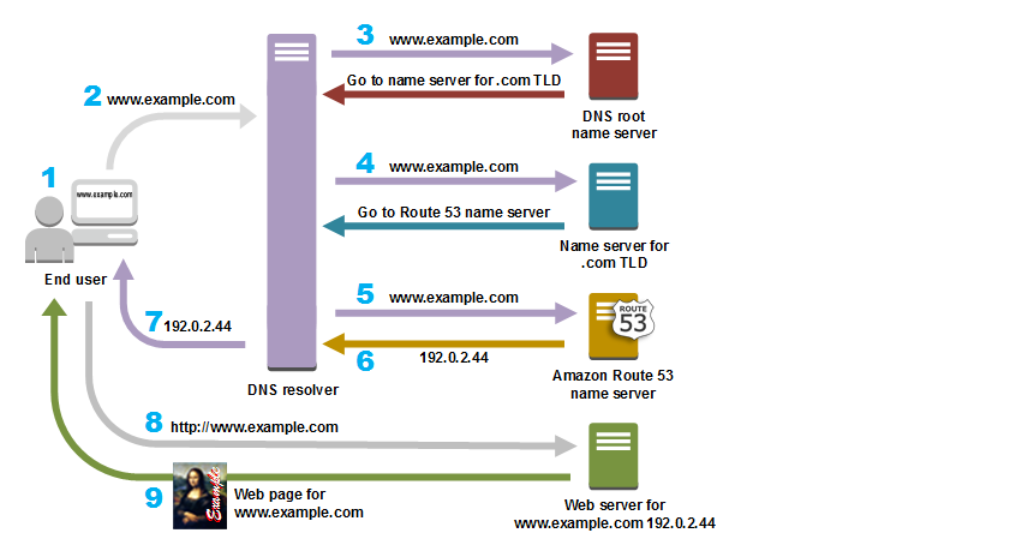
In AWS, Route53 is a global managed DNS (Domain Name System). DNS is a collection of rules and records which helps clients understand how to reach a server through URLs.
DNS operates on port 53. Amazon decided to call it Route 53—that’s where the name comes from.
Route53 is a global service. You need a domain to work with Route53: go to the Route53 service → Register domain → enter the domain → check availability → add to cart → continue.
Route53 can work with:
Public domain names you own (or buy) or private domain names that can be resolved by your instances in your VPCs.
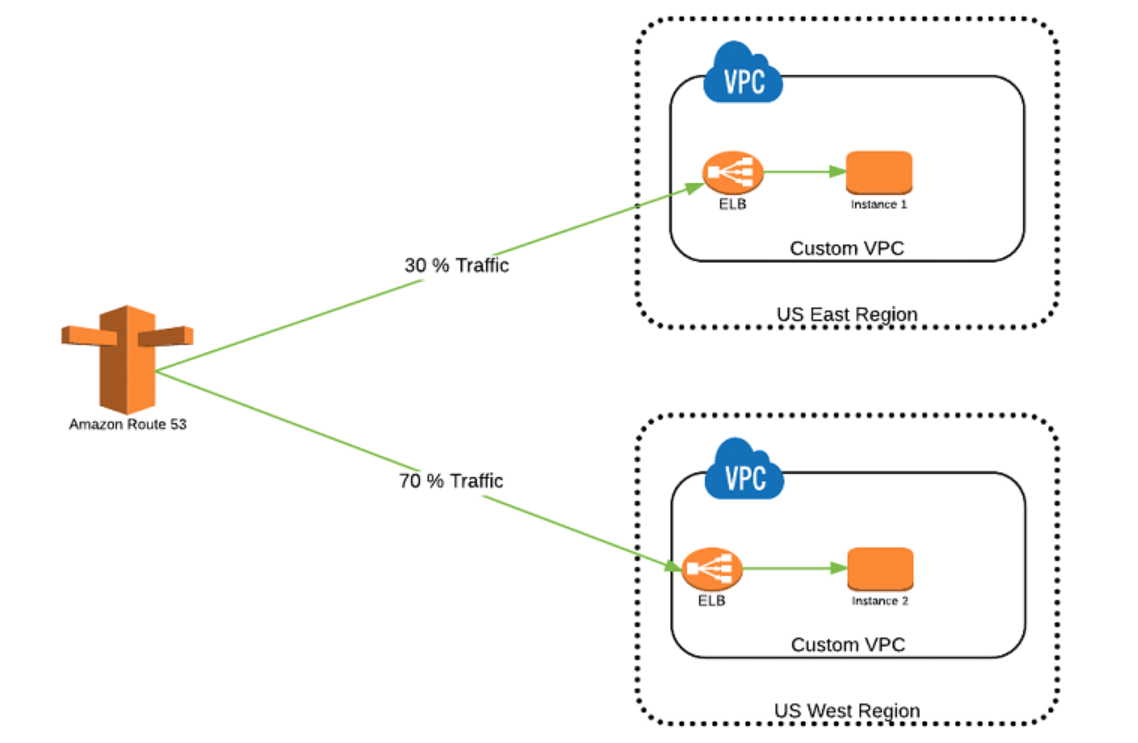
Many features such as load balancing, health checks, and routing policies like Simple, Failover, Geolocation, Latency, Weighted, and Multi value.
Cost: $0.50 per month per hosted zone.
When you create a hosted zone in Route53, two records are automatically created: SOA and NS.

TTL (Time to Live)
TTL is mandatory for each DNS record. It is the length that a DNS record is cached on either the resolving server or the user's device.
Lower TTL means changes to DNS records propagate faster.
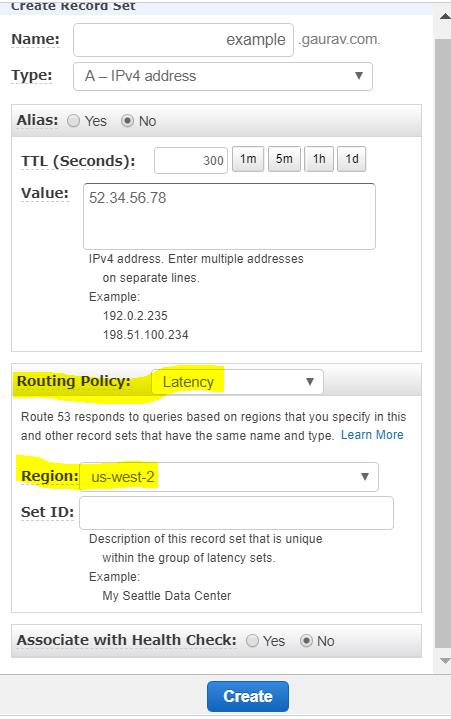
You must define TTL when you create a record set.
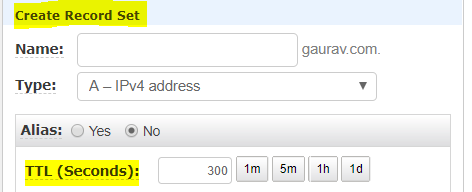
When you create basic records, you specify the following values:
Name
Type
Alias
TTL (Time to Live)
Value
Routing Policy
Records (common types)
SOA (Start of Authority)
SOA stores information about:
Name of server that supplied the data for the zone.
The administrator of that zone & current version of the data file.
Example: ns-2048.awsdns-64.net. hostmaster.example.com. 1 7200 900 1209600 86400
Route53 name server that creates the SOA record: ns-2048.awsdns-64.net. Email address of administrator: hostmaster.example.com
Routing policies
When you create a record, you choose a routing policy, which determines how Amazon Route 53 responds to queries.
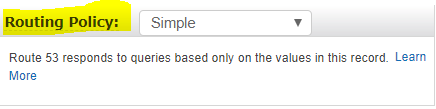
There are six routing policies in Route53. Below they are presented as steps.
Simple routing
Maps a domain to a single resource.
You can have one record with multiple IP addresses; Route53 returns all values in random order.
Use when you need to redirect to a single resource.
You can’t attach health checks to simple routing policy. If multiple values are returned, the client chooses one.
Multi Value routing
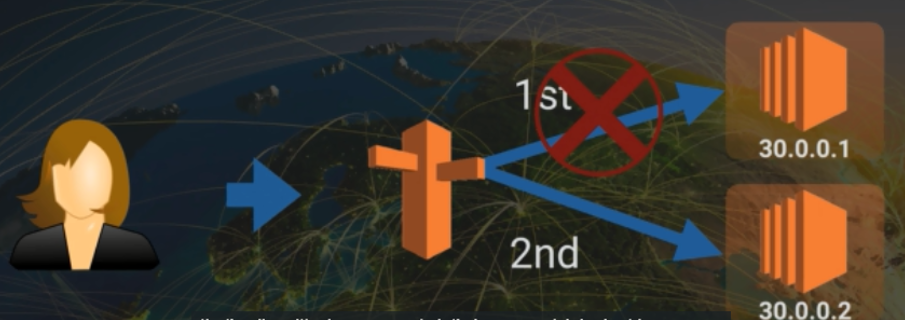
Returns multiple values for a DNS query and routes traffic to multiple IP addresses.
Use when you want to return multiple answers and associate records with Route53 health checks.
Up to 8 healthy records are returned for each multi-value query.
Note: Multi Value routing is not a substitute for an ELB.
This covers the essential Route53 records and routing policies.